>Hex-Rays IDA Pro Page

Help index | Search

Remote debugging

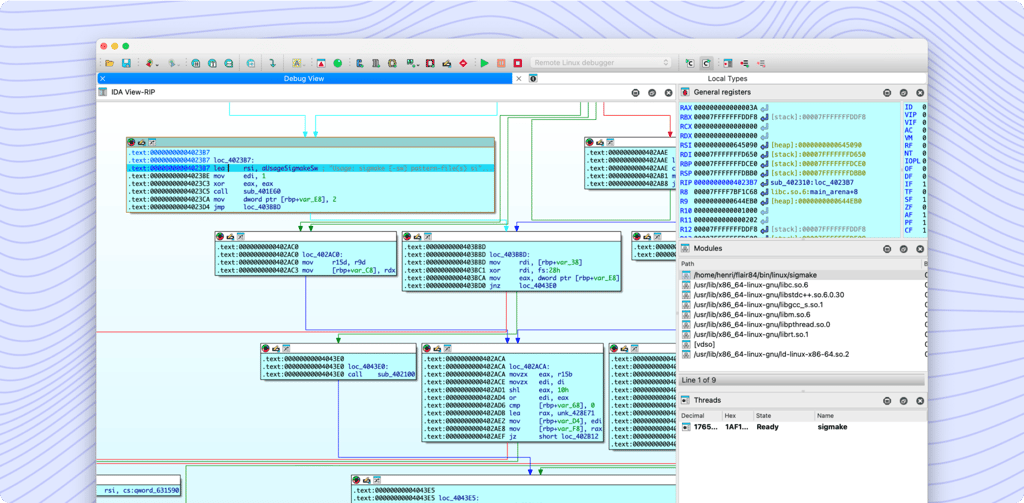
1. Launch a remote IDA debugger server on the remote host. The remote server is started from the command line and accepts command line parameters. Eventually specify a password if you want to protect your debugger server from strangers. For example, to launch the server under MS Windows, you could enter:
        win32_remote -Pmy_secret_password
2. Specify the remote debugger parameteres in the Debugger, Process options. The file paths must be valid on the remote host. Do not forget to specify the same password as you have specified when launching the server. For example, to debug notepad.exe on the remote computer remote.host.com:
        Application: c:\windows\notepad.exe
        Input file:  c:\windows\notepad.exe
        Directory:   c:\windows
        Hostname:    remote.host.com
        Port:        23946
        Password:    my_secret_password
3. The rest of debugging is the same as with local debugging.
 NOTE
The debugger server can handle one debugger session at once. If you need to debug several applications simultaneously, launch several servers at different network ports.
 NOTE
Windows CE debugger uses ActiveSync protocol to connect to the remote device. You do not need to launch the debugger server manually, it will be launched by IDA automatically. Click here to learn more about Windows CE debugger.
 NOTE
Symbian debugger uses a serial port to connect to the remote device. You need to launch the TRK module before starting IDA debugger. Click here to learn more about Symbian debugger.

The following debugger servers are shipped with IDA Pro

    File name        IDA version  Target system      Debugged programs
 ------------------  -----------  -----------------  -----------------
 win32_remote.exe    32-bit       MS Windows 32-bit  32-bit PE files
 win32_remote64.exe  64-bit       MS Windows 32-bit  32-bit PE files
 win64_remotex64.exe 64-bit       MS Windows 64-bit  64-bit PE files
 iphone_server       32-bit       iPhone/iTouch      32-bit Mach-O files
 linux_server        32-bit       Linux              32-bit ELF files
 linux_server64      64-bit       Linux              32-bit ELF files
 wince_remote.dll    32-bit       Windows CE         32-bit PE files
 mac_server          32-bit       Mac OS X           32-bit Mach-O files
 mac_server64        64-bit       Mac OS X           32-bit Mach-O files
 See also Start process
          Debugger submenu
          Debugger for Windows CE on ARM
          Debugger for Intel Mac OS X
          Debugger for Symbian OS
Index | Previous topic | Next topic