We are happy to introduce the official IDA MCP server! This free and open source software connects your IDA installation with AI agents, enabling them to disassemble, decompile, and support reverse engineering tasks. It works great with models like Gemini, Qwen, or Opus using familiar harnesses like Claude Code, Codex, or Pi. Across our internal malware analysis-focused benchmark, IDA MCP’s “code mode” architecture reduced token consumption by approximately 20% compared to popular alternatives.
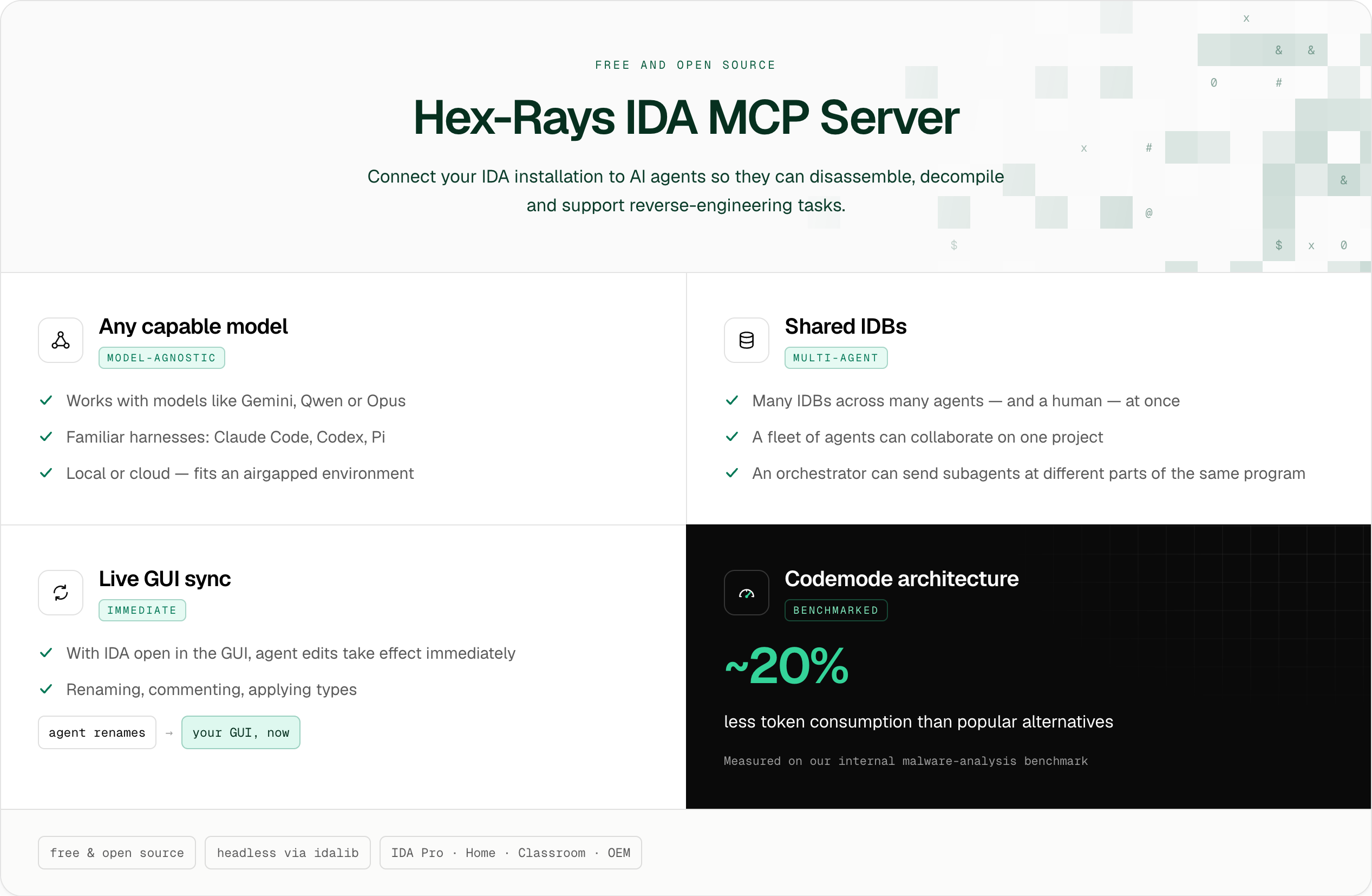
The reverse engineering capabilities of LLMs have dramatically improved over the past year and coding agent adoption has skyrocketed. The Model Codex Protocol is here to stay and we will provide you with the best tools to integrate LLMs into your day-to-day RE workflows.
One of the most exciting features of IDA MCP is that it can share many IDBs across many agents (and a human!) at the same time. This means a fleet of agents can collaborate on a project or an orchestrator agent can use subagents to concurrently study different parts of the same program. When IDA is open in the GUI, changes like renaming, commenting, or applying types, take effect immediately.
The MCP server is model-agnostic, enabling seamless integration with any capable LLM, whether deployed locally or accessed through a cloud provider. This means it fits well in an airgapped environment. Since it works headlessly with idalib, you can deploy IDA MCP in AI-supported reverse engineering systems, such as large-scale pipeline processing.
IDA MCP is freely available and open source, and works with IDA Pro, Home, Classroom and OEM.
Get started with IDA MCP today using HCLI with this one-liner (if you already have uv installed)
uvx ida-hcli mcp install
Key Features & Usage
When you install the IDA MCP server, your agent gains access to IDA’s disassemblers and decompilers to help reverse engineer programs. Some of the most exciting aspects of its capabilities include:
- that the codemode architecture is very token efficient, reducing token consumption by approximately 20% compared with popular alternatives.
- that the underlying ida-nexus library coordinates access across many agents to many IDB files, enabling realtime collaboration across a swarm of users.
- that the server is model agnostic and runs fully locally, making it a good choice for environments that are airgapped.
Let's look into these in more detail.
The Code Mode Architecture
We’ve found that many LLMs already have a really good knowledge of IDA and quickly begin exploring programs effectively. The IDA MCP server provides a minimal and powerful set of tools to the agent, along with descriptions that explain when and how to use them:
- Database: open, close, list, save
- IDAPython: read/write/update the database and evaluate logic using Python
- Reference: search for API documentation and examples using keywords
Note that this is a very small set of tools! Many other MCP servers provide a separate tool for each operation: list the functions, list the strings, list the imports, decompile one or more functions, disassemble a range, etc. Since IDA has so many features, you easily end up with 100+ tools that each need to be tuned separately. Every tool takes up space in the context window, and more importantly, the tools are not composable and all intermediate output ends up in the context window, too. These systems are slow, token hungry, and inefficient.
Instead, IDA MCP uses the architecture known as Code Mode that was popularized by Cloudflare. Agents interact with structured data by evaluating programs written in languages such as Python or Javascript. Based on user reports, models already naturally reach for IDAPython when it is available to them, so we decided to make that the primary way for a model to interact with an IDB. A further advantage is that giving your agent skills with generic IDAPython/IDA Domain snippets will automatically improve its performance when using the IDA MCP.
A tradeoff with this approach is that, because IDA does not yet isolate its Python interpreter from the wider system, the agent can evaluate scripts that reach beyond IDA’s database. While coding agents typically already have a Bash tool for manipulating the system, it's important to understand this additional surface provided by IDA MCP. Therefore, we recommend running the harness and IDA MCP in a sandboxed environment when dealing with untrusted data.
IDA Nexus Resource Coordination
When an agent interacts with an IDB already open in the IDA GUI, changes are reflected instantly in the UI, as if the agent and human are working together in the session.
However, the IDA MCP server does not require the user to open a binary in the IDA GUI first. An agent can independently create or open a new database, which spawns a headless idalib instance to manage the analysis. This session can then be automatically reused by the next open_database call for the same binary. This enables an agent to extract a second-stage payload from a malware sample, open it up independently and continue the analysis without any user interaction.
There is always one instance of IDA (headless or GUI) running for each open IDB, and one or many parallel agents connect to these instances to perform their analysis. IDA MCP, via ida-nexus, coordinates this resource tracking. Ultimately this means that changes made by an agent are instantly reflected in the IDA GUI and vice versa. You can also use IDA Nexus in your own projects!
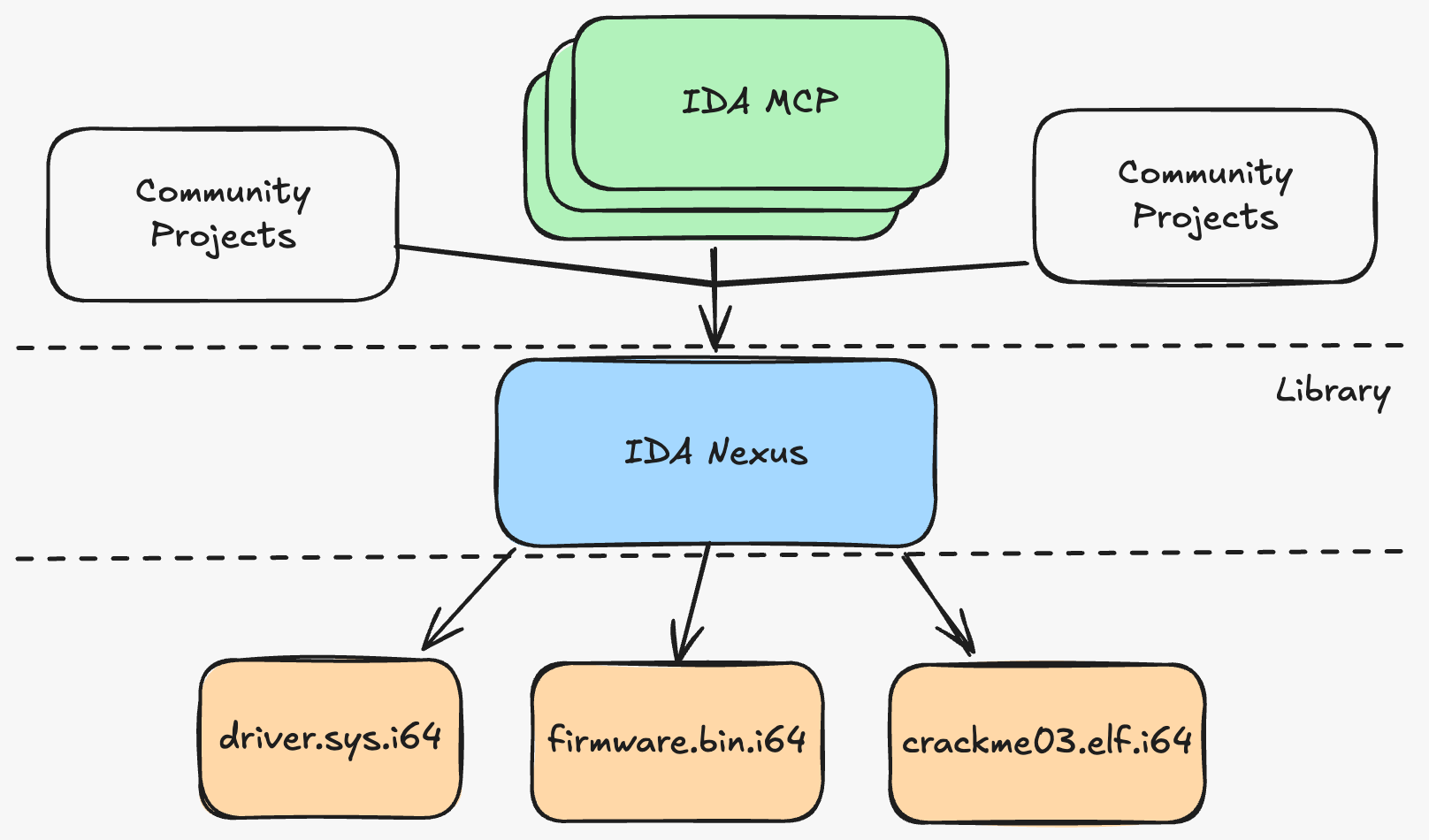
An example of a community integration is ida_buddy, which is a CLI tool for interacting with IDA. Because ida_buddy uses the IDA Nexus library it can operate on an IDB that is currently also in use by the MCP.
Another example is ida-tui, which allows you to use IDA from the terminal. If you have a binary open in the IDA GUI, you can SSH into your machine and see/edit that binary remotely without closing the GUI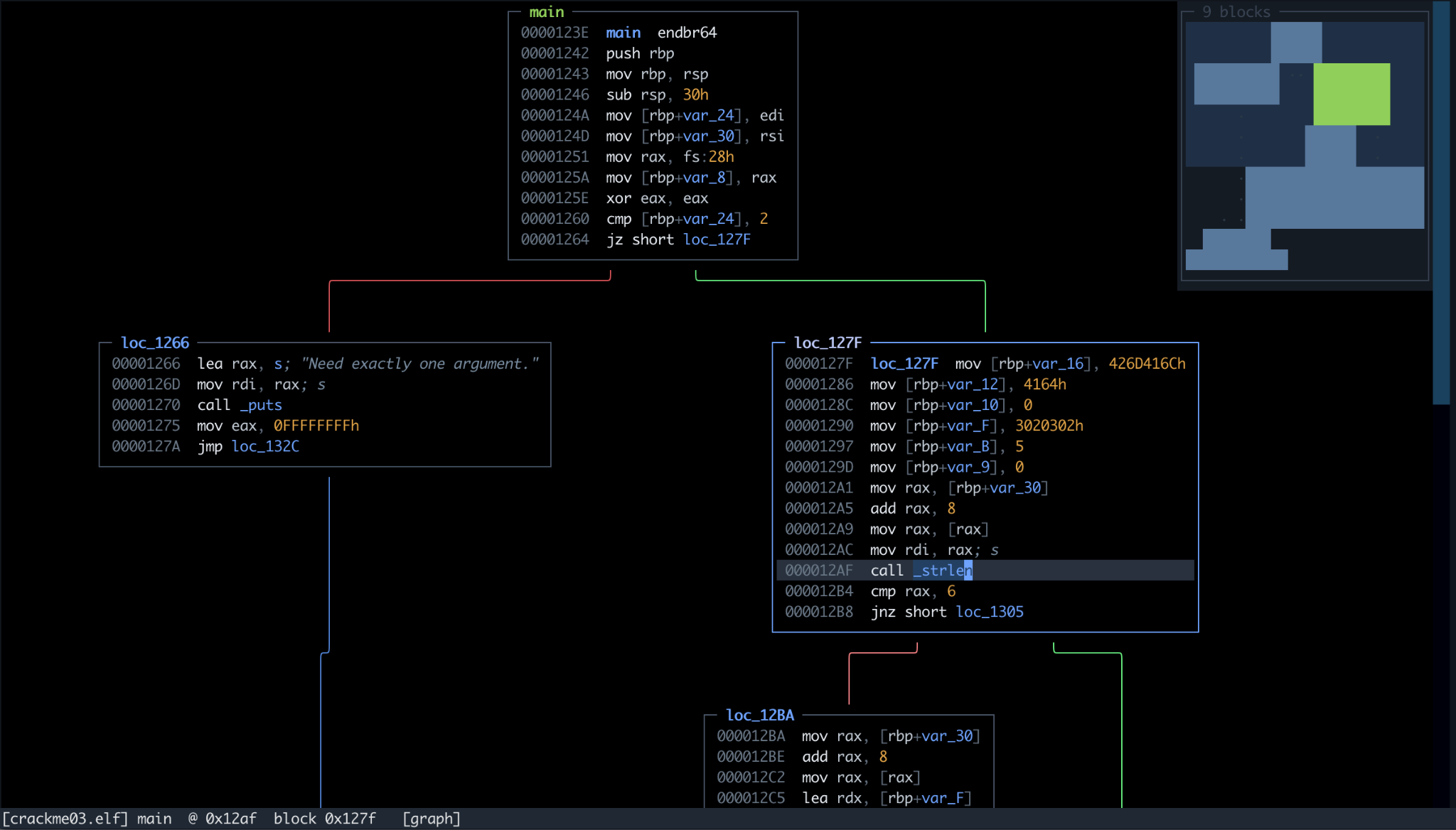
IDA MCP is Model Agnostic
While State of the Art (SOTA) models provided by organizations like Anthropic and OpenAI perform great on reverse engineering tasks, we know that not every reverse engineer can use these options. Token costs for frontier models are very high, data retention policies vary by provider, and some models refuse cybersecurity tasks without onerous additional approval by the vendor. The good news is that open weight models are widely available and have recently become proficient at reverse engineering tasks!
According to our internal, malware analysis-focused benchmarks, we’ve found that DeepSeek v4.1 Flash, Kimi K3, and GLM 5.3 perform on a level similar to GPT-6-Luna and Gemini 3.8 Flash. Unfortunately, they do require dedicated hardware. For “prosumer grade” hardware (128-256GB VRAM), DeepSeek V4 Flash 0731 and GLM 5.3 Flash also give decent results.
We also tested Qwen 3.8 27B, which can run (quantized) on a single consumer GPU (24GB NVIDIA RTX 3090). This class of models can perform reverse engineering tasks, but tends to get stuck and overthink, so you need a more hands-on approach. That being said, a minimal harness like Pi and the small footprint of the IDA MCP tools make a suitable combination for consumer hardware where prefill speeds are relatively low.
Recommended Setups
In our experience the following model and harness combinations work well with IDA MCP:
- Use Opus 5.5 via Claude Code with a monthly coding plan. However, cybersecurity safeguards frequently interrupt work, so falling back to Opus 4.6 might be necessary.
- Use GPT-6-Sol or Astra via Codex with a monthly coding plan.
- Use DeepSeek 4.1 Flash, Gemini 3.8 Flash, Kimi K3, or GLM 5.3 via OpenRouter using Pi.
We recommend using a VM or other sandboxed environment. Install IDA with HCLI. Once IDA MCP is installed, your agent will reach for IDA any time you have reverse engineering tasks!
Demonstration
To demonstrate IDA MCP, we explore a scenario called ParcelDesk that involves multiple, related PE files. The idea of the challenge is that you need to enter a parcel identifier and the corresponding collection code to open a door and retrieve some mail. In our case we need to obtain the collection code for parcel ZX-4815.
[Hint] If you would like to play along at home you can find the files here.
To get started we extract the challenge files into a new folder and open a coding agent there (we used Claude Code with Sonnet 5 for this demonstration). Then we can ask:
Can you obtain the collection code for parcel ZX-4815 in ParcelDesk.exe?
The agent will work for a few minutes, iteratively calling open_database and execute_python on the relevant binaries and it should come back with an answer like this: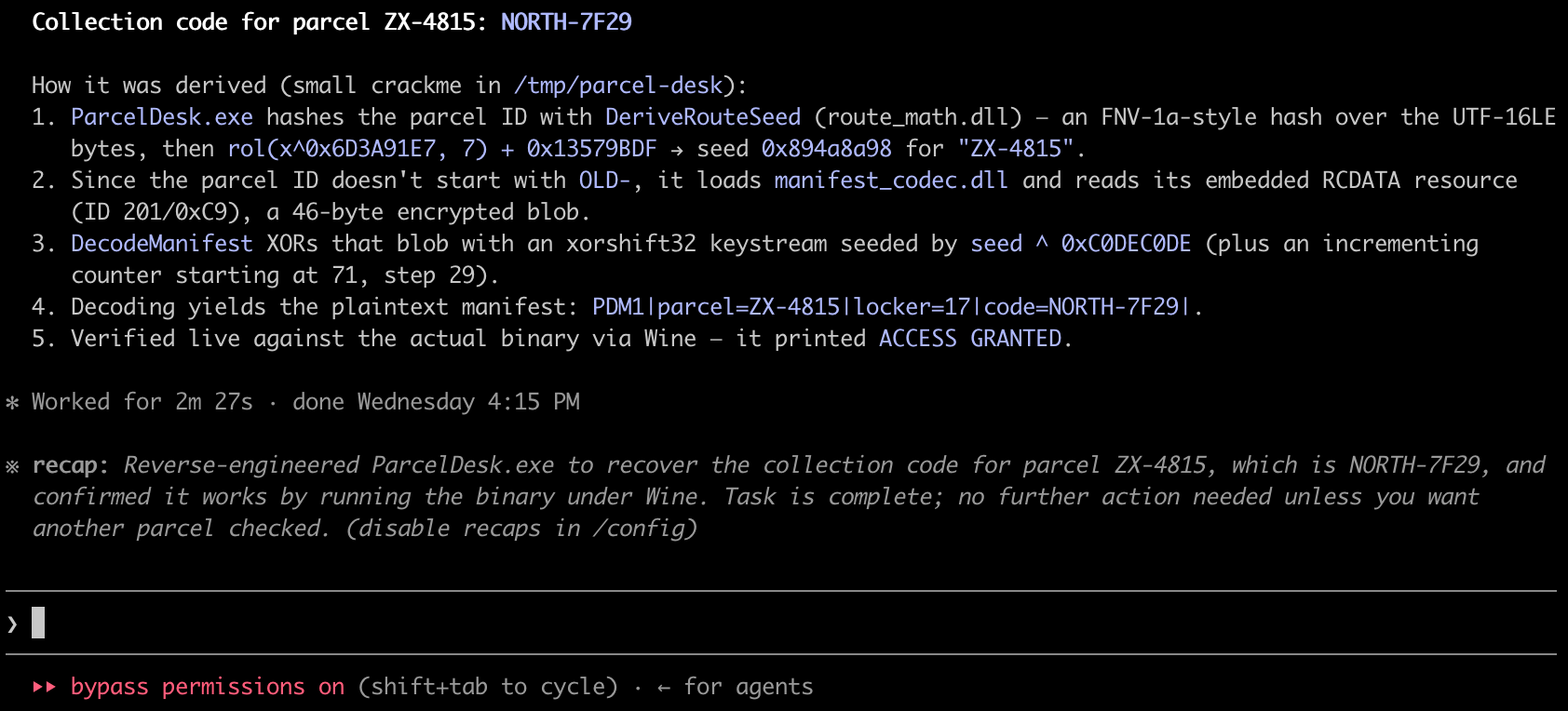 In this case none of the binaries were opened in the IDA GUI, but this makes no difference from the agent’s perspective. Calling open_database on a file that is already open in IDA will reuse that instance instead of spawning a headless idalib worker.
Notably, this challenge required the agent to traverse three separate DLL files and extract raw data from resource sections. Using IDA MCP, it successfully traces data flow across binaries, identifies the correct DLLs, extracts and parses PE resources, and replicates a custom decryption algorithm.
If you’re curious about how the agent came to these conclusions, you can read through the tool call trace that we’ve exported here. It’s amusing to see how an agent decides to combine API functions to collect data, and to contrast this with how a human approaches reverse engineering.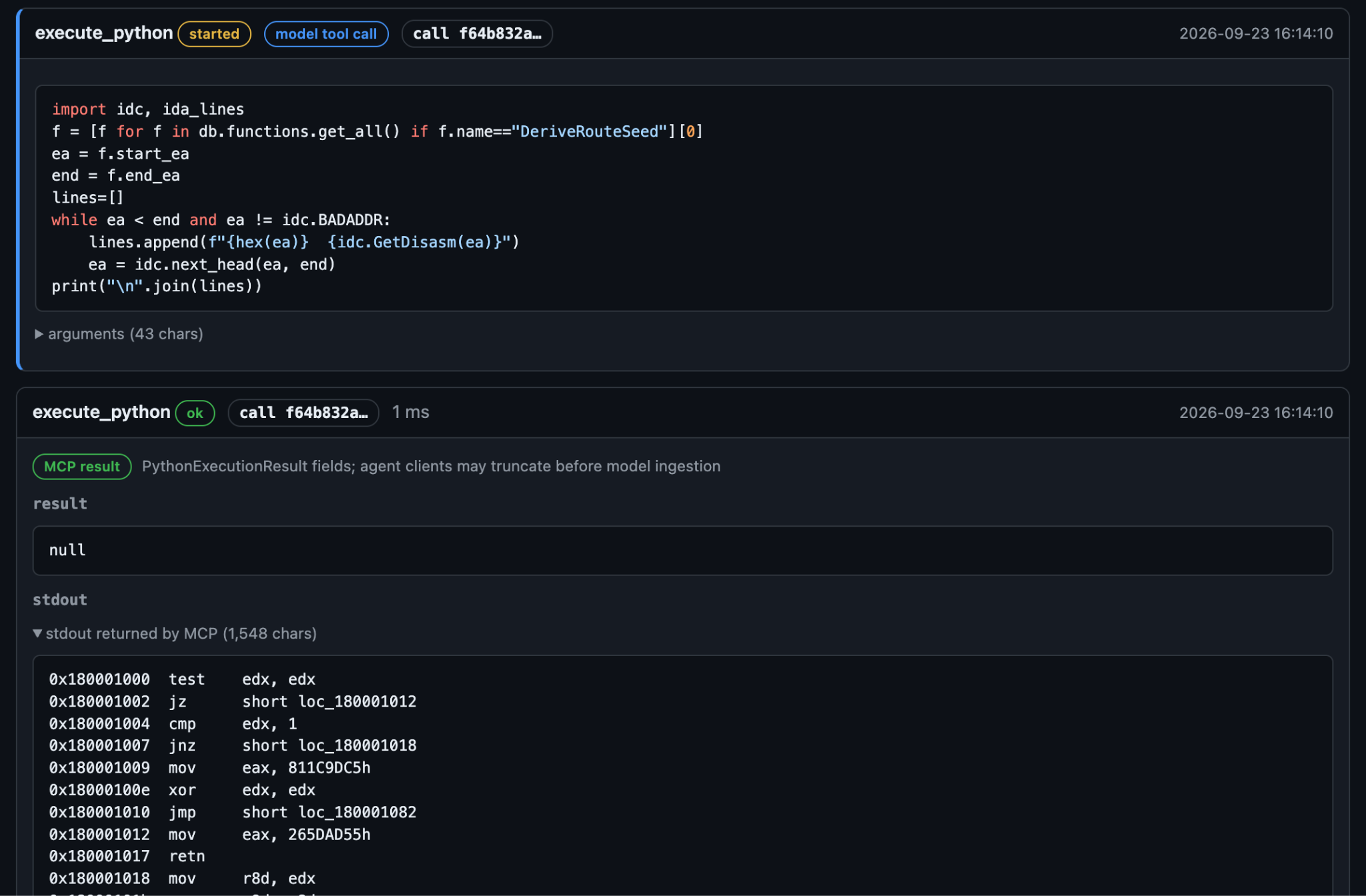
Installation
Since IDA MCP communicates with external AI systems, their use may not be compatible with every organization's security or air-gapped deployment policies. Consequently, IDA MCP must be explicitly installed and configured before it can be used. It is provided as a free, open source software.
You can find detailed installation instructions in our documentation, but in short, once you have uv installed you can use HCLI to install the plugins for IDA and your coding agent. Today we support one-command installs for Claude Code, Codex, GitHub Copilot, Pi and oh-my-pi, but any client supporting stdio MCP servers works, including LM Studio and Antigravity.
uvx ida-hcli mcp install
or, if you already have hcli installed
hcli mcp install
Acknowledgements
We would like to thank Joe T. Sylve for giving us the ida-mcp name on PyPI. Additionally we would like to thank our early access testers for the feedback and ideas!