
An IDA database stores many different kinds of information: functions, named global variables, types, and more. Jump Anywhere, introduced in IDA 9.2, is a unified “quick navigation” dialog that lets you search across those database items from a single place. It also supports resolving simple expressions that the user could have entered into the “Jump to address” dialog.
With the upcoming IDA 9.3, Jump Anywhere becomes substantially more practical for everyday use: it’s faster on large databases, supports searching demangled symbol names, and remains responsive thanks to asynchronous searching. Additional improvements are planned for future IDA releases.
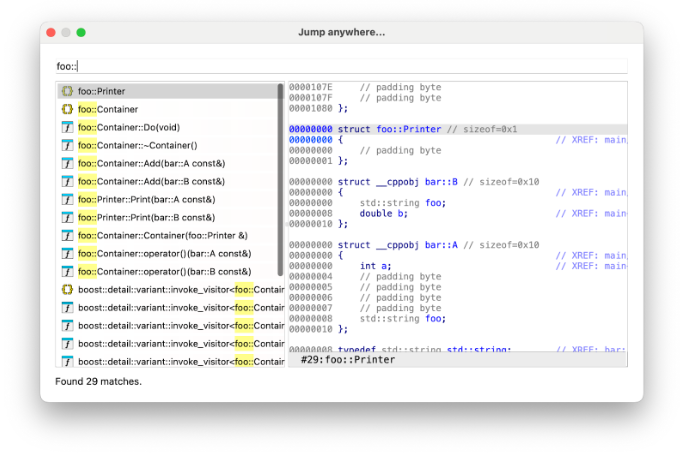 Jump Anywhere dialog showing the results list and a preview type listing for the currently highlighted match.
Using Jump Anywhere in Practice
Jump Anywhere is a feature that aims to help you navigate faster between functions, local types and other database items. It is designed to be a single, multi-purpose quick navigation feature, allowing search in data normally scattered across multiple IDA subwindows or dialogs.
With Jump Anywhere you can:
- Search for addresses (accepting the same forms of input as the previous “Go to address” dialog);
- Search for functions, names, local types, and segments, with results sorted by a similarity score.
If the input can be parsed as an address or expression, that interpreted address is prioritized over the rest of the results. Other results are ordered primarily by similarity score.
As of the time of writing, the score IDA uses is based on the length of the displayed result text, with further improvements planned in future IDA versions. When multiple results have the same score, IDA currently applies tie-breakers: first the result type is prioritized (functions, then names, then local types, then segments), and then the address. This behavior may change in future versions of IDA.
The dialog also provides a preview for the destination where the user will jump if the current entry is selected.
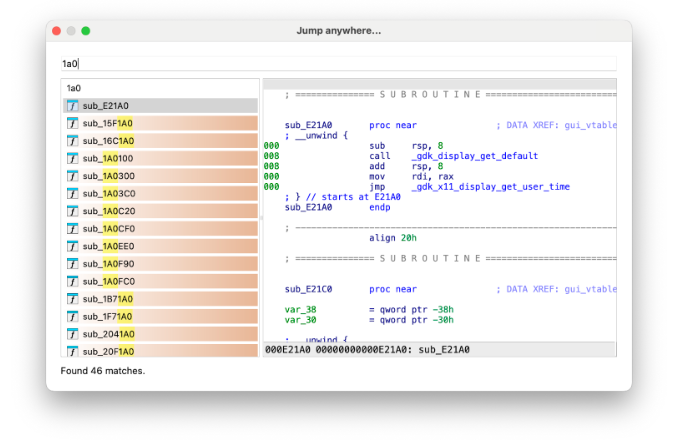
The dialog with a hex address as input. A result with the parsed expression is added in addition to the list of functions matching the query.
In IDA 9.3 the feature was improved in several ways:
- The demangled versions of functions and names are searchable as well.
- Searches are now performed asynchronously, which means long-running searches can be cancelled and the UI remains responsive.
- Demangled symbols are now indexed, matching the default behavior of the Functions and Names windows.
- The dialog supports jumping to a field offset in the Local Types view, acting as a full replacement for the “Jump to type offset” dialog.
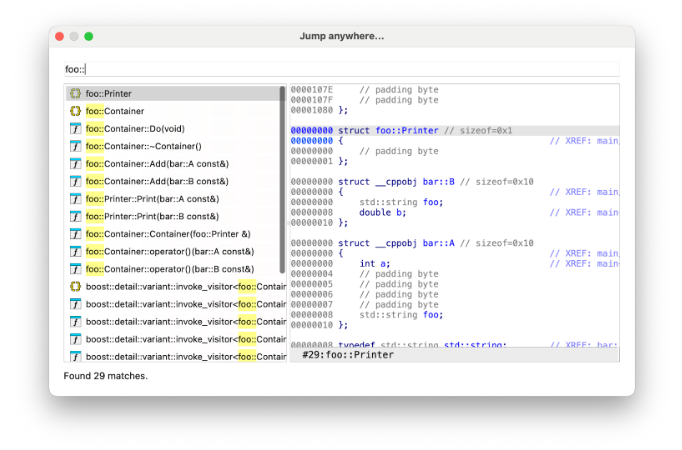
An example search using part of a demangled name as the query, with a local type result selected. The mangled name is not shown unless the demangled name does not match.
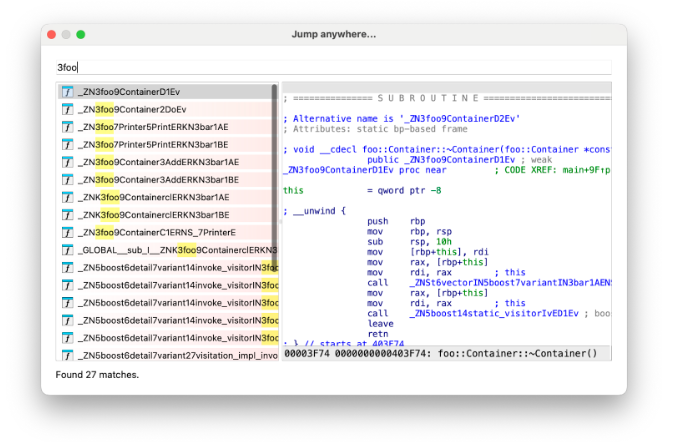
An example search using a mangled name as the query. The foo::Container destructor from the previous screenshot is now displayed in mangled form.
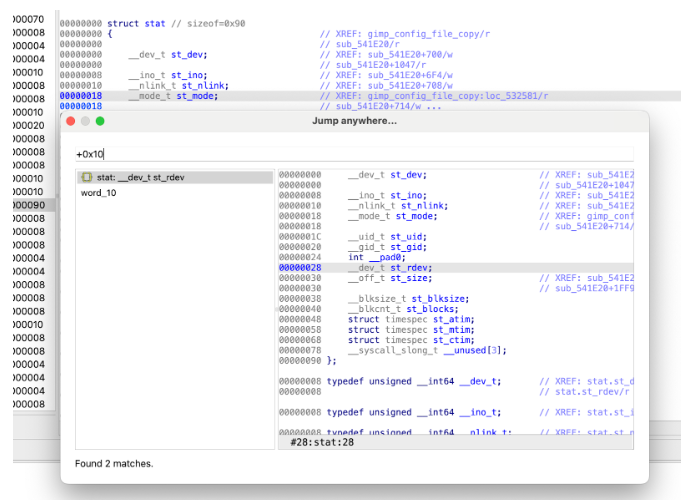
The dialog when used in Local Types. Field offsets (absolute or relative) and field names can be used to jump to the corresponding field, complete with preview.
How Search is Implemented
To enable fast searches, IDA indexes the functions and names in the database.
In IDA 9.3, search performance has been significantly optimized, making Jump Anywhere much more usable on large IDBs. The data structure holding indexed function and name data has been rewritten so IDA can safely perform parallel searches.
The new structure stores all names in lowercase in a continuous data buffer. This allows IDA to perform a simple sequential memory scan, which in our testing proved substantially faster than the old approach of scanning more scattered data.
Each thread scans a portion of this buffer. Because we prioritize ongoing analysis, any modification to this structure cancels all pending searches.
IDA indexes both mangled and demangled names for all functions and names listed in the Names window, preferring the demangled variant. If a match is found only in the mangled form, the result will be displayed in its mangled form.
Where You’ll Find It (Once Released)
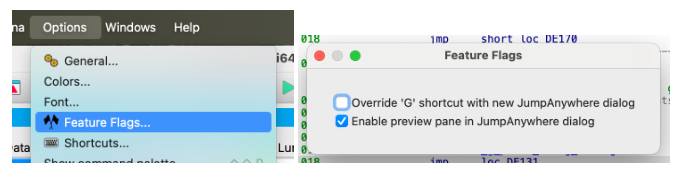
You can open the Jump Anywhere dialog by pressing Ctrl-Alt-G (CMD-Alt-G on macOS). Alternatively you can make this feature open by pressing the G key (replacing the default “Jump to address” dialog) by enabling an option in the Feature Flags dialog (Options → Feature Flags...).
Additionally, there are some advanced settings that can be changed in idagui.cfg:
- JUMP_ANYWHERE_MAX_RESULTS - IDA will truncate the list of results to this value before displaying them to the user
- JUMP_ANYWHERE_MAX_HISTORY - the number of queries that IDA should save in the history (not yet available in IDA 9.3)
Jump Anywhere requires IDA’s indexer subsystem. It is configured using the ENABLE_INDEXER option in ida.cfg and is enabled by default.
Looking Ahead
IDA 9.3 is only the starting point for Jump Anywhere: features like history, improved scoring, fuzzy search, and API access are still planned for future versions. In the meantime, we hope the current feature set is useful in real workflows and provides a solid foundation for feedback.